Visual schedules are a powerful tool for families, especially those with children who have special needs. They provide a clear, visual way to communicate daily routines, expectations, and transitions. This can reduce anxiety, improve behavior, and promote independence. In this guide, we'll explore what visual schedules are, why they're beneficial, and how you can create them for your family. We'll also discuss how video-to-text prompt technology can simplify the process of creating visual schedules.

What Are Visual Schedules?
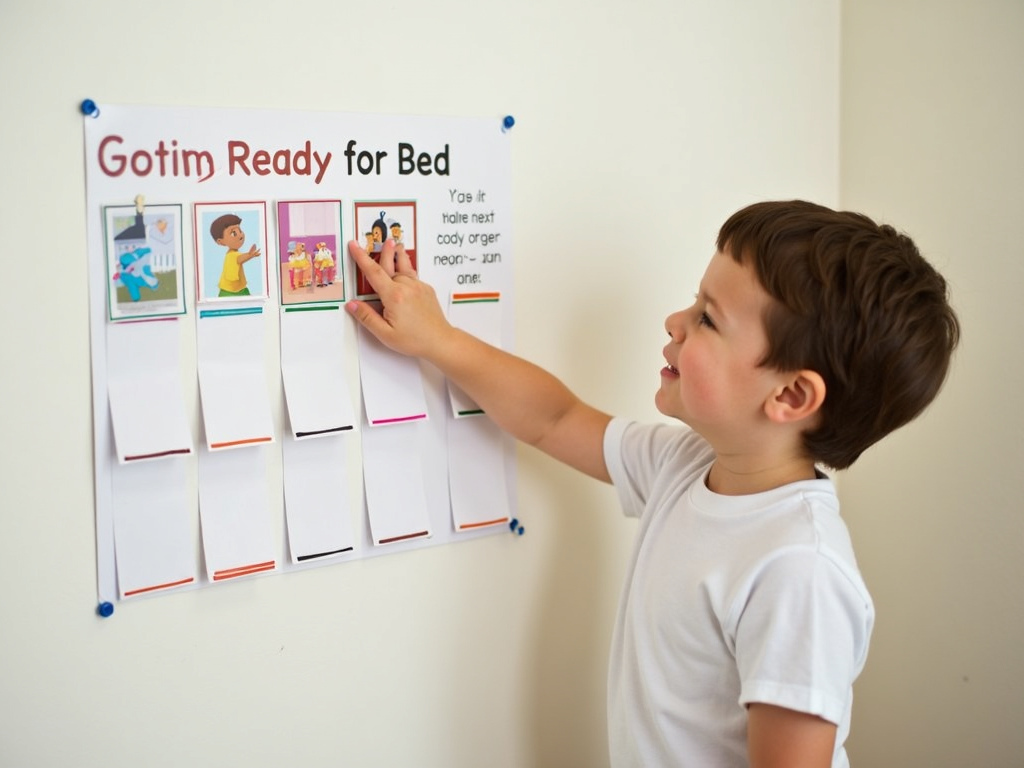
Visual schedules are a series of images or symbols that represent a sequence of events or tasks. They can be used to outline a daily routine, a specific activity, or even a single task broken down into smaller steps. For example, a morning routine visual schedule might include pictures of waking up, brushing teeth, getting dressed, eating breakfast, and leaving for school.
Visual schedules are particularly helpful for children with autism, ADHD, or other developmental disorders, as they provide a clear, concrete way to understand and anticipate what's coming next. However, they can be beneficial for any child (or adult!) who thrives on routine and structure.
Why Use Visual Schedules?
There are many benefits to using visual schedules with your family:
- Reduce Anxiety: Knowing what to expect can help reduce anxiety and meltdowns, especially during transitions.
- Improve Behavior: Clear expectations can lead to better behavior and fewer power struggles.
- Promote Independence: Visual schedules empower children to complete tasks on their own, fostering a sense of accomplishment.
- Enhance Communication: For children who struggle with verbal communication, visual schedules provide an alternative way to understand and express themselves.
- Support Learning: Visual schedules can be used to teach new skills or reinforce existing ones.
Creating Effective Visual Schedules
When creating a visual schedule, keep these tips in mind:
- Use Clear, Simple Images: Choose images that are easy to understand and represent the task clearly. You can use photographs, clip art, or even hand-drawn pictures.
- Keep It Age-Appropriate: For younger children, use fewer steps and larger images. For older children, you can include more detailed schedules.
- Make It Interactive: Use Velcro or magnets to allow your child to move or remove completed tasks. This adds a sense of accomplishment and control.
- Be Consistent: Use the same images and format consistently to help your child learn and remember the routine.
- Involve Your Child: Let your child help choose or create the images. This can increase their investment in the schedule.
Creating visual schedules can be time-consuming, especially if you're not artistically inclined. This is where technology can help. Tools like Video to Prompt allow you to easily create visual schedules by converting videos into step-by-step prompts. This can be a game-changer for busy families.
Video-to-Text Prompt Technology: A Game Changer
Video-to-text prompt technology is a innovative tool that can simplify the process of creating visual schedules. Here's how it works:
- Record a Video: Film yourself or your child performing the task or routine you want to create a schedule for.
- Upload to the Tool: Use a service like Video to Prompt to upload your video.
- Generate Prompts: The tool will analyze the video and generate a series of text prompts or images that represent each step.
- Customize and Print: You can then customize the prompts, add images, and print out your visual schedule.
This technology is particularly helpful for complex tasks or for families who want to create highly personalized schedules. It can also be a great way to involve your child in the process, as they can help film the video or choose the images.

Tips for Implementing Visual Schedules
Once you've created your visual schedule, here are some tips for successful implementation:
- Start Small: Begin with a simple schedule for one part of the day, like morning or bedtime routines.
- Model and Teach: Show your child how to use the schedule and practice together.
- Be Patient: It may take time for your child to get used to the schedule. Be consistent and offer lots of praise.
- Adjust as Needed: If something isn't working, don't be afraid to tweak the schedule or try a different approach.
- Use It Yourself: Model using visual schedules for your own tasks to show your child how helpful they can be.
Visual Schedules and Applied Behavior Analysis
Visual schedules are a key component of Applied Behavior Analysis (ABA), a therapy approach often used with children with autism. ABA focuses on teaching new skills and reducing challenging behaviors through positive reinforcement and structured teaching methods. Visual schedules are a natural fit for ABA, as they provide a clear, structured way to teach and reinforce routines.
If your family is involved in ABA therapy, your therapist can help you create and implement visual schedules that align with your child's treatment goals. They can also provide guidance on how to use the schedules effectively.
Conclusion
Visual schedules are a versatile and effective tool for families, offering numerous benefits from reducing anxiety to promoting independence. By understanding how to create and implement these schedules, you can support your child's development and make daily routines smoother for everyone. And with tools like video-to-text prompt technology, creating personalized visual schedules has never been easier.
For more information on visual schedules and other strategies to support your family, check out the recommended readings below.

Discuss Here